

Classroom Daily Visual Schedule EDITABLE Template Cards


This product is a membership exclusive.
This product is a membership exclusive.
Description
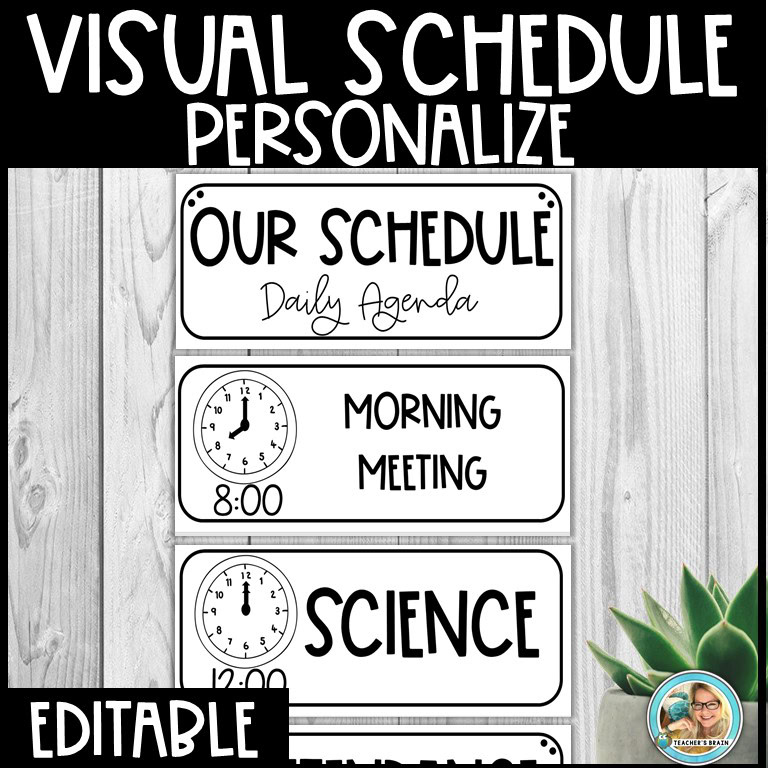
Need a way to help your class transition to the next task and display your schedule for all to see easily? I have you covered with this editable PowerPoint! Use these cards on a pocket chart, wall, or magnetic board to easily edit and move your schedule around. Allow students to take a card to the next task, if they have trouble transitioning.
What is in this download?
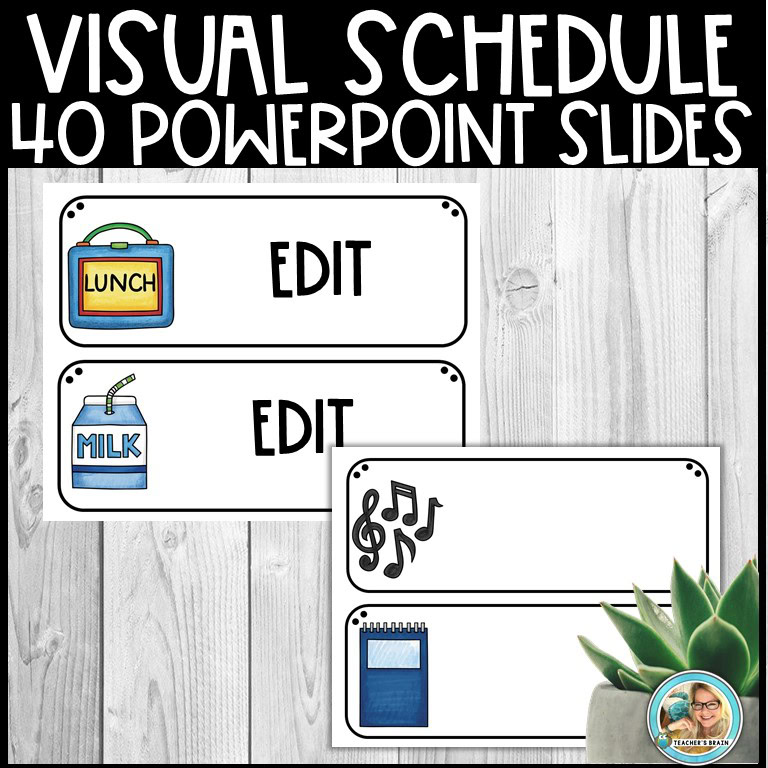
- 44 Editable PowerPoint Slides (*Make sure you have PowerPoint)
- Black and White with Clocks (moveable hands and text boxes provided)
- Cursive and Print for Intermediate or Primary Classrooms
- Blank Cards
- Directions with Suggested Fonts
- Pictures Cards include ( A+, apple, backpack, chalkboard, books, bell, lunch, milk, glue, globe, clock, crayons, owl, grad hat, paint pallet, paintbrush, bookworm, bus, pencil, pen, check, bell, stars, scissors, beaker, music, paper airplane, protractor, data journal, music, magnets, locker, glasses, light bulb, ruler, flask, heart, sun, tent, music notes, tie, flashlight, plant, tie, test tube, computer, laptop, world, stem items)
You can use any font you would like to create the cards or use the suggested fonts I used.
Suggested FREE FONTS:
Find the KA Night Owl Font for free HERE!
KG Miss Kindergarten Font for FREE HERE!
KA Honey Comb FREE
KA Floaties FREE
NOTE: You should download the font, upload it to your computer, and restart your computer to use the font.
NOTE: If you have printing problems, please check your settings on your printer, and even if you only have a black and white printer, choose print in color. That should work. 🙂
SEE PREVIEW
*Backgrounds and images CAN NOT be edited.
Edit, Cut, Laminate
Reward Points
I've created a simple point system for giving back to loyal customers!- For every $1 (US dollar) you spend, you earn 1 point!
- 20 points can be redeemed for $1 (US dollar) on a future purchase!
- When you leave feedback (review), you get 5 points!
- Reward Points can be viewed under My Account.
Only logged in customers who have purchased this product may leave a review.
Am I responsible for sales tax or duties?
I have another question about your store....
Is this a shipped item?
How do I access my digital download?
- An automatic email with the download link is generated every time you make a purchase so check your inbox and spam/junk box then click on the link in the email.
- Log in to your account and you will find a list of your purchases, which you can download at any time onto any of your devices.
Write Your Question !
Earn 8.00 Reward Points
$8.00
Share This Resource
Other Resources You May Like...
Related products
-
 Quick View
1st Grade Back to School First Week Busy Work
Earn 3.49 Reward Points
$3.49 Read more -
 Quick View
School Supplies Rules | Classroom Expectations Posters
Earn 3.50 Reward Points
$3.50 Read more -
 Quick View
Oh Happy Day Classroom Decor Bundle RETRO GROOVY | EDITABLE
Earn 22.05 Reward Points$31.50Original price was: $31.50.$22.05Current price is: $22.05. Read more -
 Quick View
Attention Grabbers or Attention Activities
$0.00 View
Reviews
There are no reviews yet.